Browse the docs
Docs›Writing replies
Fit in: reply the way people reply here FREE
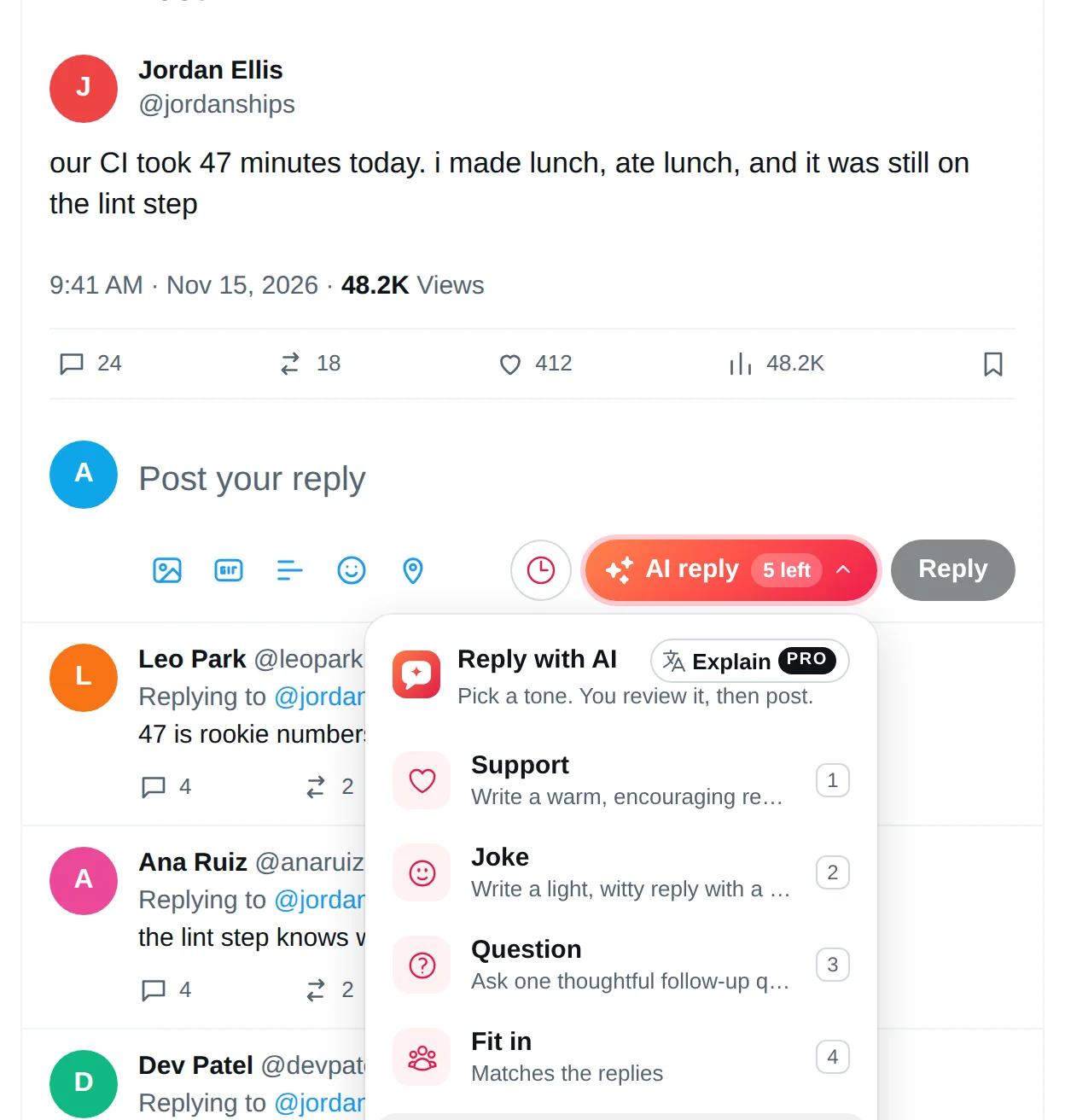
The Fit in tone reads the replies already under a post and writes yours the same way: their vibe, length, language, casing and emoji.
Free for everyoneAdded in 2.14.0Settings › Reply tones
How to use it
- 1Open the post itself on x.com. The reply popup from your timeline has no replies to read.
- 2Click AI reply and pick Fit in (its hint says “Matches the replies”).
- 3X-Reply sends the replies X shows on the page and writes your own point, in your own words, the way they reply.
- 4Echo check: if a draft repeats 6 or more words in a row from someone’s reply, X-Reply writes it again once (about 1 more credit). If it still does, the draft stays in the box with the words marked, plus Try again and Undo.
- 5Any tone can work this way: in Settings › Reply tones, turn on Read the other replies and pick Write the way they do. With Pro, one of your 3 drafts can be the “Match the replies” angle.
See it in action · 0:10On a demo X page with made-up people. Nothing is posted.
- Open a post that already has replies
- Pick Fit in in the AI reply menu
- The draft is written the way the replies are
What is sent where
The post’s text and the replies X shows under it, with the tone’s instructions, to X-Reply’s server and OpenAI. The echo check runs in your browser.
More in What is sent where and the privacy policy.
If something goes wrong
- “No replies to match yet”
- Nobody has replied to this post yet. Pick another tone, or come back once people have replied. Nothing was sent.
- “Open the post to use its replies”
- You are in the reply popup, which shows none of the replies. Open the post itself, then pick Fit in there. Nothing was sent.
- “Close to a reply already here”
- Even after one rewrite the draft repeats words from a reply, and X can hide replies that look alike. Press Try again, or change the marked words.
Still stuck? Help and contact.