Browse the docs
Docs›Working on X
People notes and conversation memory PRO
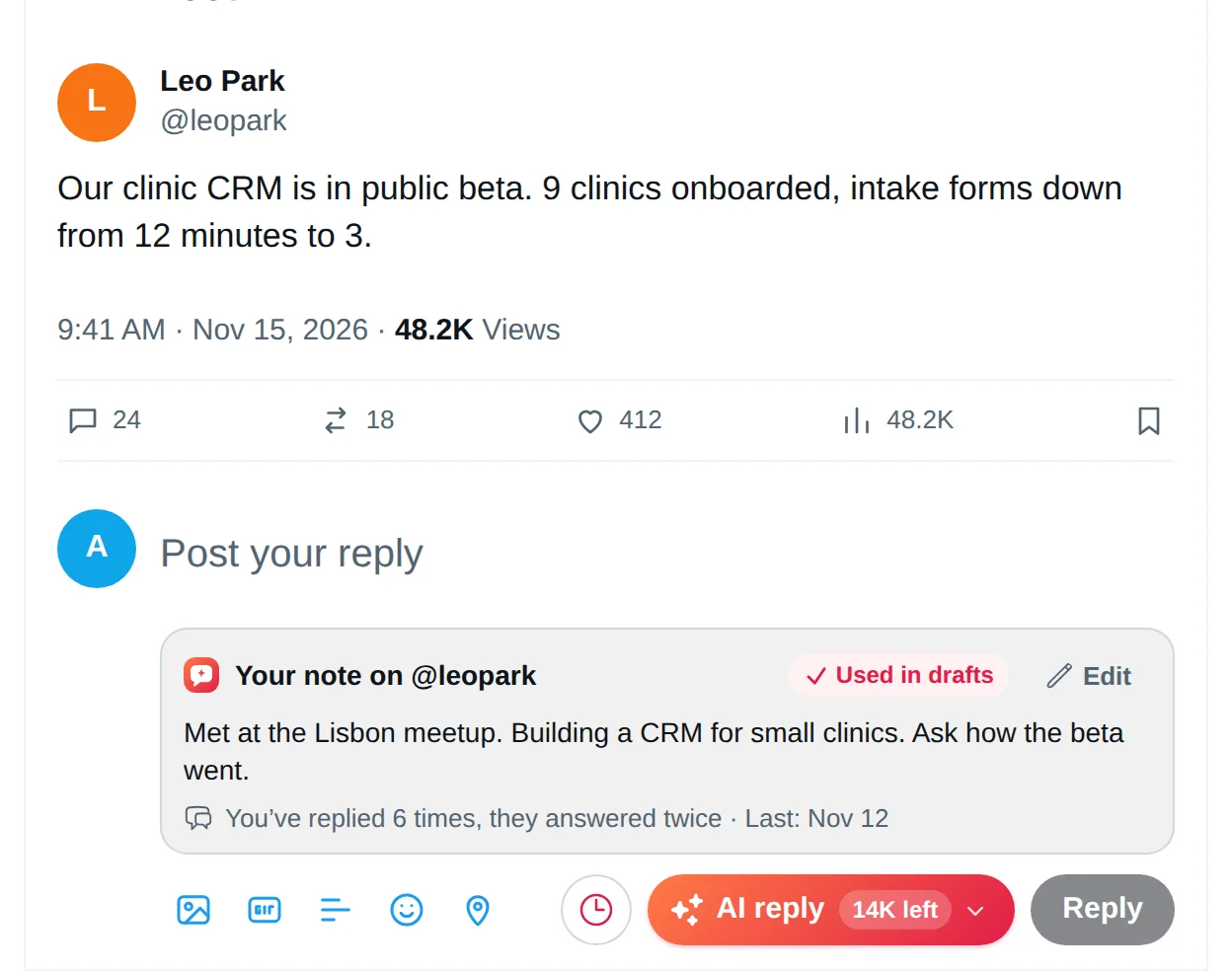
Keep a private note on anyone you reply to. When you reply to them, X-Reply shows your note and your history with them under the reply box.
Part of X-Reply ProAdded in 2.28.0Settings › People
Pro: $7.99 a month or $49 a yearHow to use it
- 1Reply to someone: a strip under X’s reply box offers “Add a private note on @handle”. Or use the Note button on their profile.
- 2Write where you met, what they build, what to ask next time (up to 300 characters).
- 3Next time you reply to them, the strip shows your note and your history: how often you replied from an X-Reply draft, how often they answered, and when you last did.
- 4Tick Use in drafts on a note (it is off until you do), and drafts for that person get the note as background. The toast then says “Draft added, using your note.”
- 5Settings › People lists your notes, turns the strip off, exports them as a file and deletes them all.
See it in action · 0:12On a demo X page with made-up people. Nothing is posted.
- Open a reply to someone you know
- Add a private note about them
- Next time, the note shows by the reply box
What is sent where
Notes stay in this browser, never on X-Reply’s server. A note with Use in drafts ticked goes with that person’s drafts to X-Reply’s server and OpenAI, counted as text sent (under half a credit).
More in What is sent where and the privacy policy.
If something goes wrong
- “Add a private note” has a PRO tag
- People notes are part of Pro. When Pro ends, your notes stay in this browser and can still be exported or deleted.
- The history says 0 replies
- The history comes from My replies: only replies you posted from an X-Reply draft count.
Still stuck? Help and contact.