Browse the docs
Docs›Writing replies
Your voice: drafts that sound like you PRO
Save 3 to 10 of your own posts on your account page and every draft is written in your style. Up to 3 voices, each tied to an X account.
Part of X-Reply ProAdded in 2.17.0Account page › Sounds like you
Pro: $7.99 a month or $49 a yearHow to use it
- 1Sign in at xreply.dialogix.app/account and go to Sounds like you.
- 2Paste 3 to 10 of your own posts (5 to 10 work best). A blank line starts a new post; each is cut to 600 characters.
- 3Add notes on your style if you like (up to 300 characters), then Save.
- 4Turn on Use my voices for every draft. Drafts, 3 drafts and Improve are then written in that style; Explain never is.
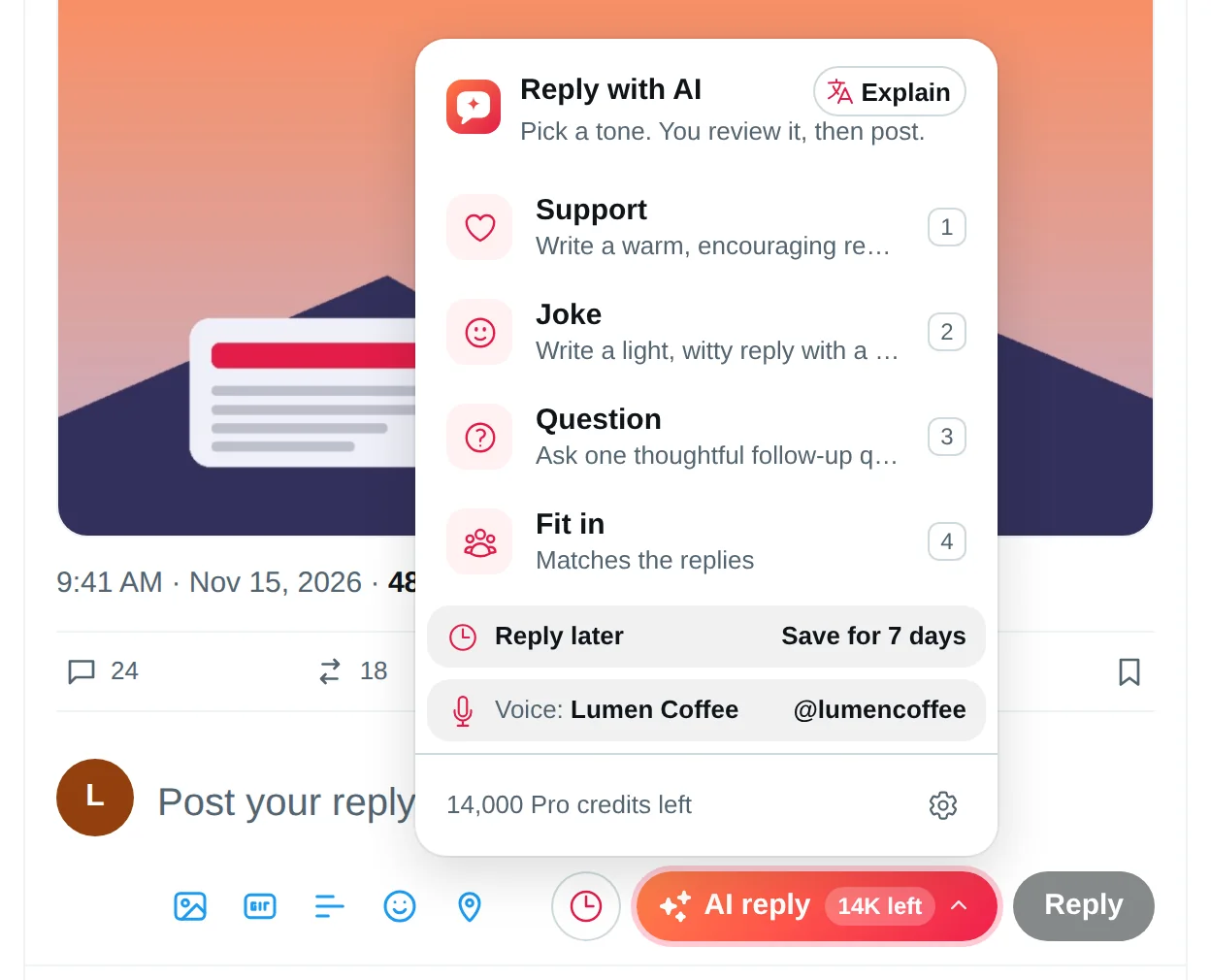
- 5Up to 3 voices: tie one to an X account (@handle) and X-Reply uses it whenever you’re signed in to X as that account. Any other account gets your default voice, and the AI reply menu names the voice it uses.
See it in action · 0:09On a demo X page with made-up people. Nothing is posted.
- Open AI reply on X
- The menu shows the voice it will use for this account
- Pick a tone. The draft sounds like you
What is sent where
Your voices’ posts and notes are stored with your X-Reply account and sent to OpenAI (or your own AI key’s provider) with each draft, to copy your style, never your content. The @handle you’re signed in to X as is read on the page and never sent. Delete my voice removes a voice.
More in What is sent where and the privacy policy.
If something goes wrong
- “Your voice is part of X-Reply Pro.”
- Saving a voice needs Pro. A voice kept after Pro ends stays yours and can still be deleted.
- The menu says “default (no match)”
- No voice is tied to the X account you’re signed in as, so your default voice is used. Add that @handle to a voice.
- “Post 2 is over 600 characters: only the first 600 are used”
- Shorten it, or leave it: only its start is used.
Still stuck? Help and contact.