Browse the docs
Docs›Working on X
Turn a reply into a post PRO
A good reply mostly reaches people already in that conversation. Turn it into a standalone or quote post, in your voice, to reach your followers.
Part of X-Reply ProAdded in 2.22.0
Pro: $7.99 a month or $49 a yearHow to use it
- 1Post a reply with X’s own Reply button.
- 2Open AI reply on that post again: the menu starts with “Your reply, just posted” and Turn into a post ›.
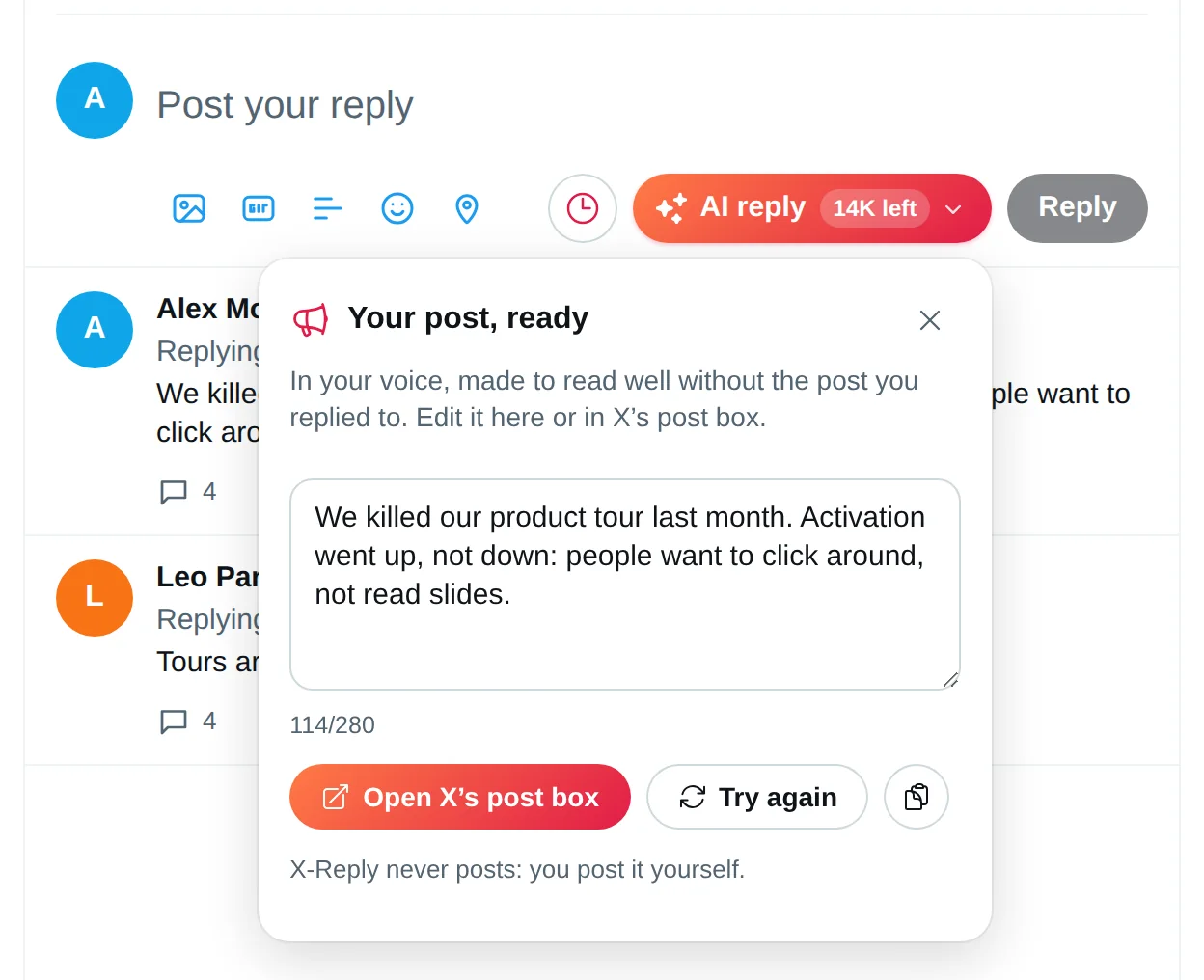
- 3Pick Standalone post (it makes sense without the original) or Quote post (your comment above the post). X-Reply rewrites your reply in your voice for about 1 credit.
- 4Edit it in the card, press Try again for another version, or Copy it.
- 5Open X’s post box opens X’s own composer in a new tab with the text (for a quote post, with the post’s link). You post it yourself.
See it in action · 0:10On a demo X page with made-up people. Nothing is posted.
- After you post a reply, open AI reply on that post again
- Click Turn into a post › Standalone post
- X-Reply rewrites your reply as a post of your own
- Open X’s post box with it: you post it yourself
What is sent where
Your reply and the post it answered, to X-Reply’s server and OpenAI. To offer this, X-Reply notices your own click on Reply and keeps that reply in this browser for a day; it never presses Reply or Post.
More in What is sent where and the privacy policy.
If something goes wrong
- No “Turn into a post” row
- It shows for a day after you post a reply with X’s Reply button, when you open AI reply on that post with an empty reply box.
- “Turn your replies into posts with Pro”
- Turn into a post is part of Pro.
Still stuck? Help and contact.