Browse the docs
Docs›Working on X
AI in X’s quote composer PRO
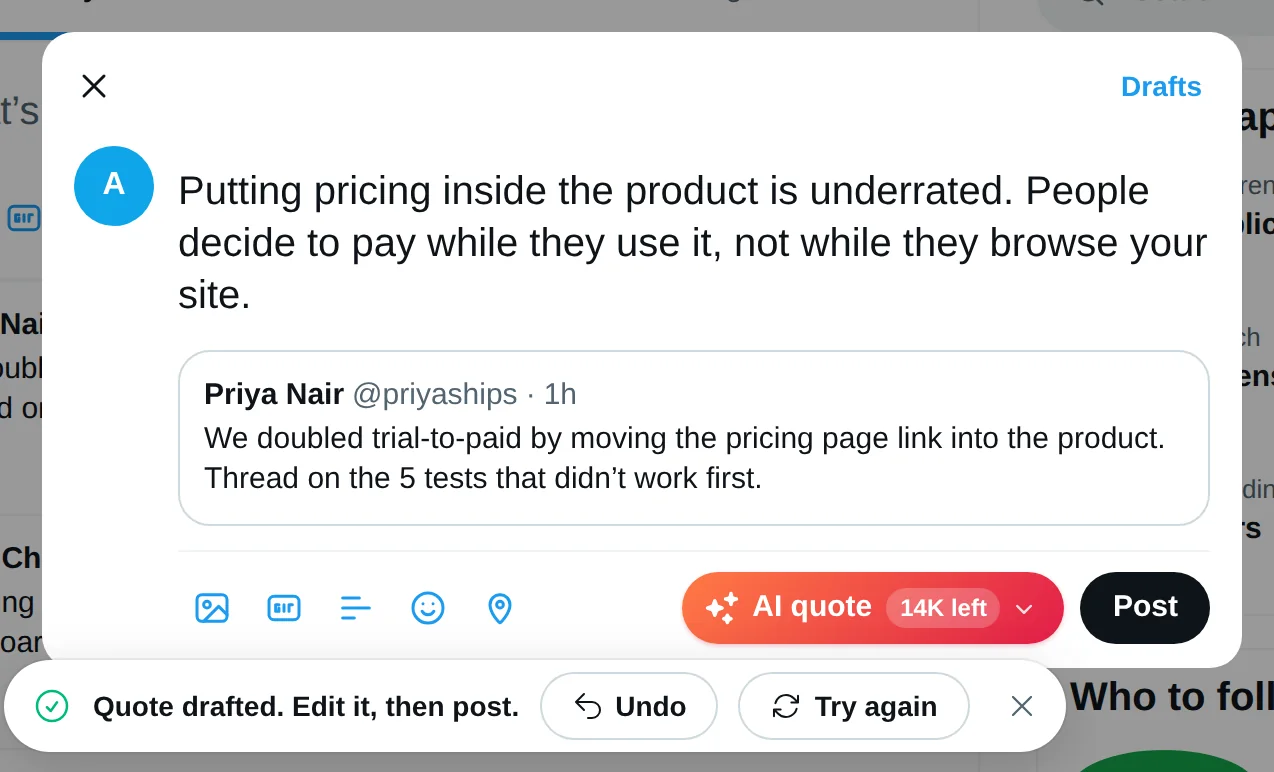
In X’s quote composer (Repost › Quote), the AI quote button writes your comment above the post with tones made for quote posts.
Part of X-Reply ProAdded in 2.22.0
Pro: $7.99 a month or $49 a yearHow to use it
- 1On a post, click Repost › Quote.
- 2Click AI quote, next to X’s Post button.
- 3Pick a quote tone: Your take, Key takeaway, Add context, or Ask your followers.
- 4The comment goes into X’s box, in your voice and model, with Undo and Try again (about 1 credit). You post it yourself.
See it in action · 0:12On a demo X page with made-up people. Nothing is posted.
- Click Repost › Quote
- Click AI quote in the quote box and pick a tone
- The quote draft lands in the box
What is sent where
The quoted post and the quote tone, to X-Reply’s server and OpenAI (or your own key’s provider).
More in What is sent where and the privacy policy.
If something goes wrong
- “Write quote posts with Pro”
- AI quote posts are part of Pro.
Still stuck? Help and contact.